



01 / PLAN
Get the idea out of your head.
Write your caption, add photos and choose an account. Save the draft when you need to stop, then come back to it later.










Prepare a Facebook or Instagram post.
Explore content planning Next: ReviewInteractive demoExplore with sample content. Nothing is published.About this demo
THE TREEHOUSE / SOCIAL CONTENT WORKSPACE
Plan, review and schedule your social posts in one place.
Keep the caption, photos, client feedback and publishing date together. Built for small businesses, social media managers and agencies.
Interactive demo · No account or social connection needed
Facebook · Instagram · LinkedIn
Check publishing availability for your workspaceExplore available channelsChoose a step to see what happens to the post.
PATCH / FROM FIRST IDEA TO FINAL CHECK
Follow the same sample post through drafting, client review, scheduling and the publishing result.
Illustrative content. Nothing is published.
Scroll to follow the post, or choose a step.
01 / PLAN
Write your caption, add photos and choose an account. Save the draft when you need to stop, then come back to it later.
Prepare a Facebook or Instagram post.
Explore content planning Next: Review02 / REVIEW
Share a review link so your client can approve the post version or ask for changes. They can review without creating an account.




Approval is a decision, not a publishing action.
See client review Next: Schedule03 / SCHEDULE
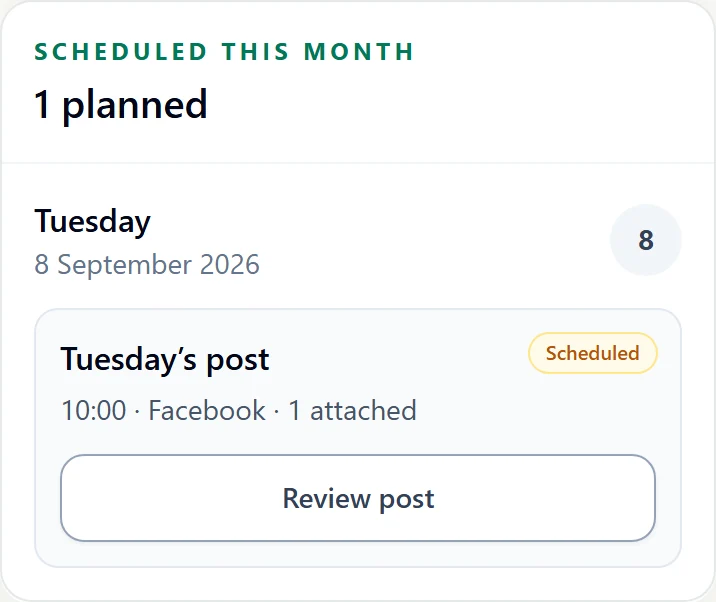
Choose the date, time and connected account. Your calendar shows scheduled posts alongside drafts and posts waiting for review.




Facebook and Instagram are shown with sample accounts in this demo.
Explore the calendar Next: Check04 / CHECK
Check whether the post is still waiting, has been sent, is confirmed published or needs attention. The status shows you what happened after scheduling.




Sent for publishing and confirmed published are different states.
Follow the full workflowYou decide what to post and when.Try the demo
THE TREEHOUSE / FROM THE INSIDE
Take a look inside Treehouse. Choose a screen to see how your drafts, client feedback and schedule fit together.
FOR YOU & YOUR TEAM
Treehouse is where you work on your posts. Open a draft, read a client’s feedback or check what’s scheduled next.
Patch’s guide can help you find your way around. Your posts and their publishing status stay in view as you work.
Explore the Treehouse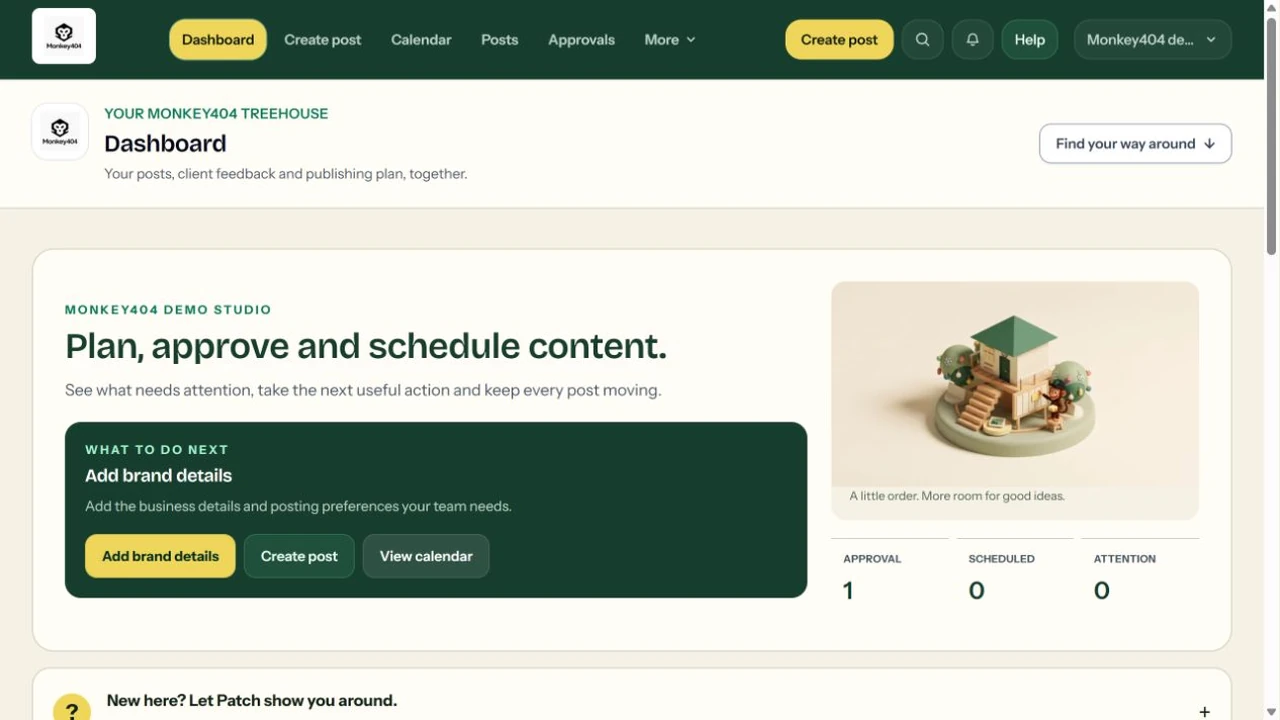
FOR THE PERSON CREATING THE POST
Write the caption, add your media and check the preview in one place. Save a draft while you work, then request a review or choose a publishing date.
A saved draft stays a draft. Facebook Pages and eligible Instagram accounts support publishing, with LinkedIn available to every workspace with a connected account; this demo uses sample accounts without connecting them.
See how planning works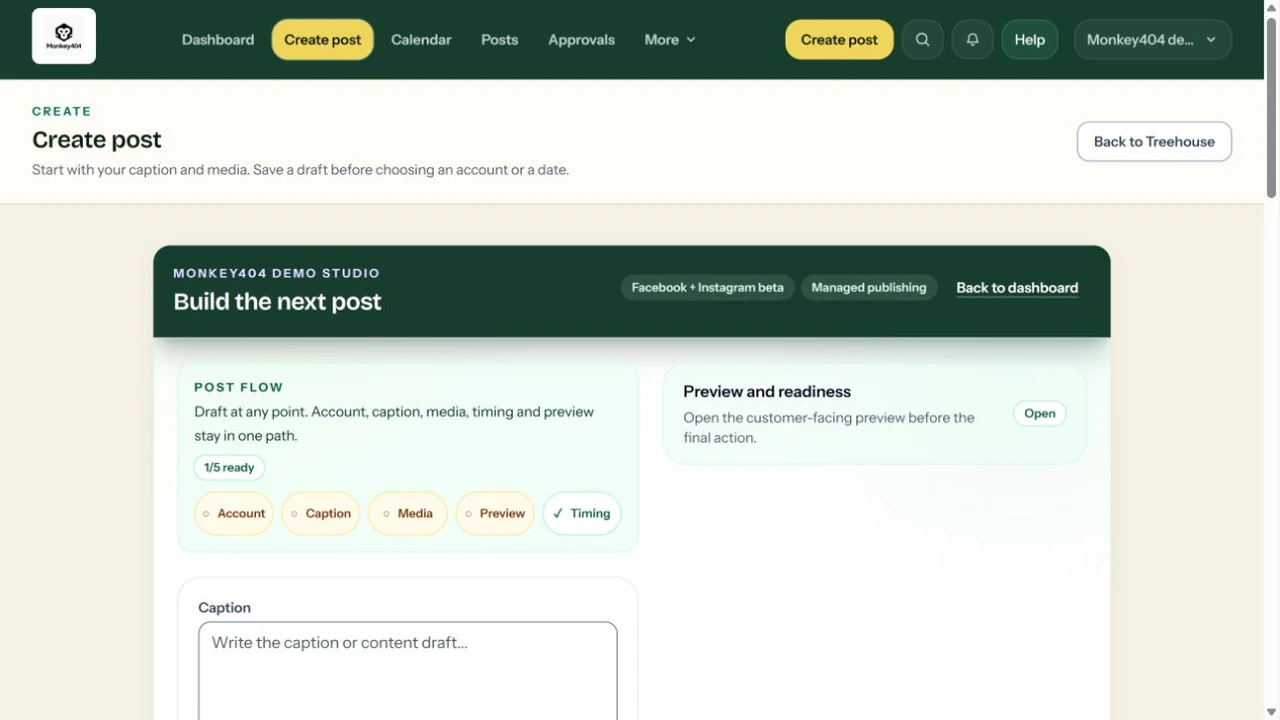
FOR THE PERSON GIVING THE GO-AHEAD
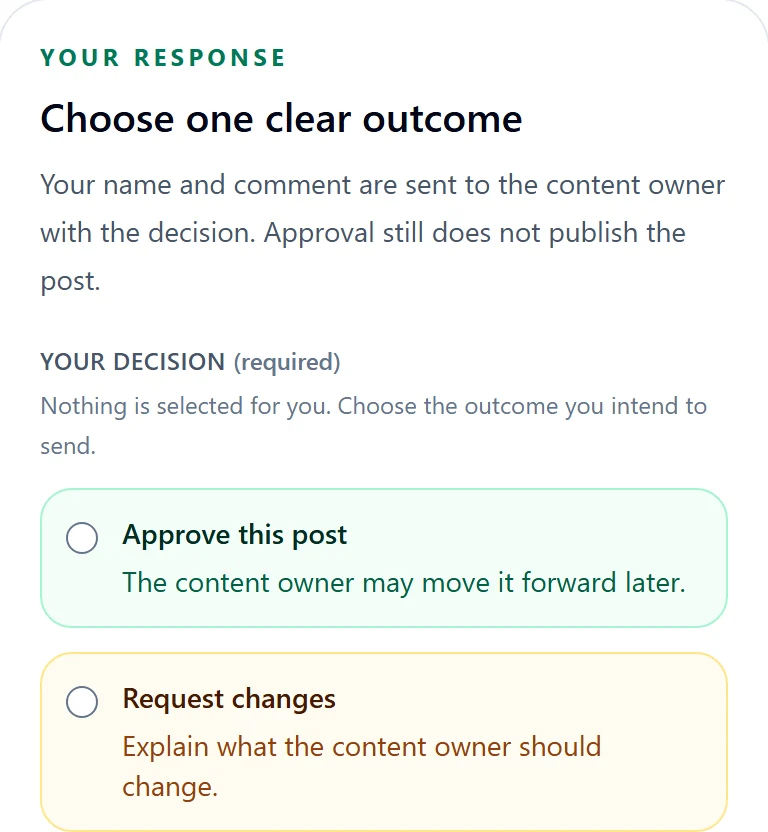
Your client opens a private link to one post version. They can approve it or ask for changes, with feedback attached to the review.
The link does not open your workspace. Approval records a decision; it does not publish the post. You keep control of the next step.
Explore client review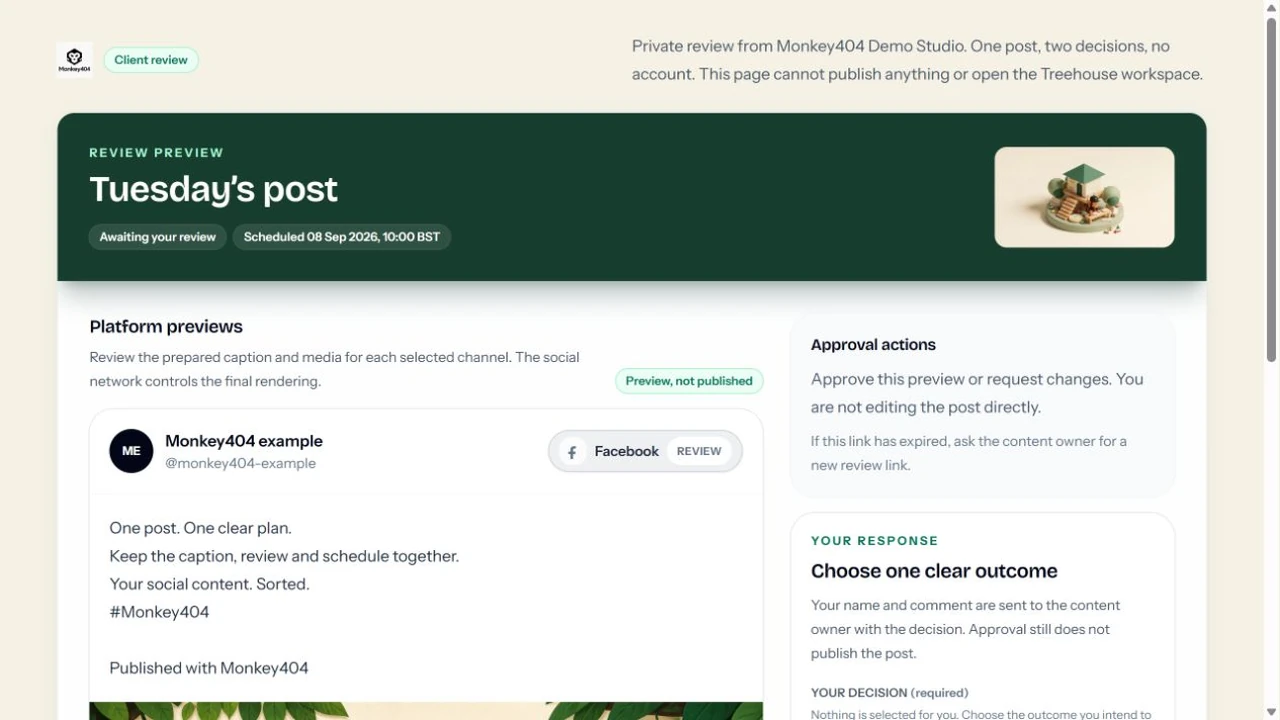
Use Treehouse to organise your posts and Banana Studio to help with ideas and wording. You check the content and decide what to publish. Finished image and video generation are not available.
01 / PREPARE
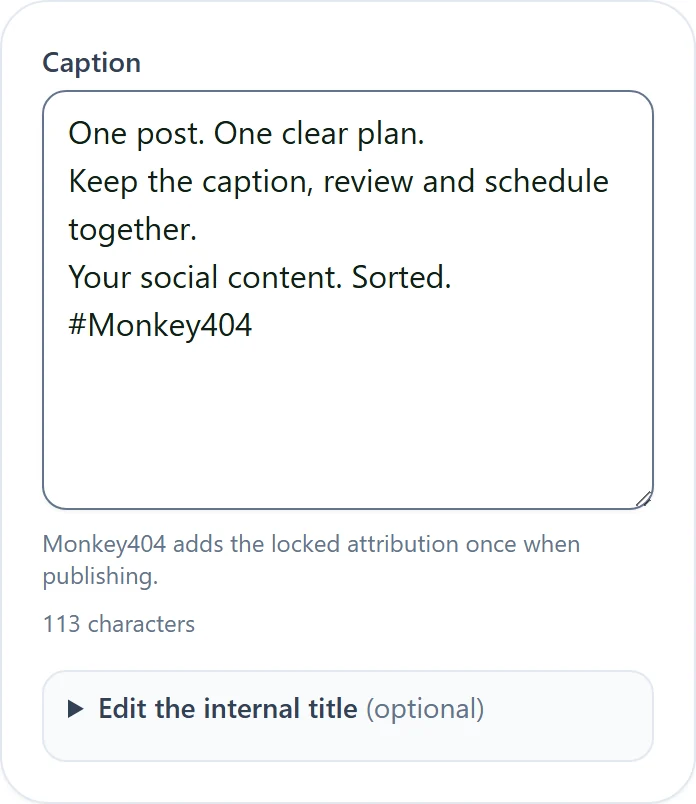
Bring a caption and media into one draft. Check the post preview and choose the connected account it belongs to.
02 / REVIEW
Send a link for your client to review a specific post version. They can approve or request changes without creating an account.
03 / SCHEDULE
Give approved work a date and a place on the calendar. Facebook Pages and eligible Instagram accounts support publishing. LinkedIn is available to every workspace with an eligible connected account.
Choose a business example and try the workflow with sample content.
FIND YOUR CHANNEL
Facebook and Instagram publishing are available for eligible connected accounts. LinkedIn is available to every workspace with an eligible connected account. Check each channel’s status below before planning a post.
Plan and schedule posts for a connected Facebook Page.
Explore Facebook PagesUse an eligible connected Instagram Business or Creator account.
Explore InstagramPlan and schedule text or single-image posts for your connected LinkedIn account.
Explore LinkedInAvailable in the controlled beta
Available to invited beta workspaces. Your workspace settings and connected accounts determine which actions are available.
Get a starting point for your next post.
What to know: Each client workspace starts with 20 assistant requests per month, shared by its team. Monkey404 can adjust the allowance. It resets monthly; generation pauses when an allowance or the service spending limit is reached, without automatic extra charges. The writing style belongs to that workspace. Visual suggestions are briefs, not generated images or videos.
Browse topics for your next post.
What to know: These are country-level search topics, not live social-network or city-level trends. They do not measure your customers’ interests or guarantee reach. Check source material before making a claim.
Keep your caption, media and chosen accounts together.
What to know: Published beta captions include a Monkey404 attribution footer. It is added automatically; removing it is not currently available. Previews are an approximation of each channel’s display. Media and caption requirements vary. Upload availability depends on your workspace; a preview alone does not mean a post has published.
Let your client check the post without creating an account.
What to know: Anyone with a valid private link can review that post, so share it carefully. Approval records a decision; it does not automatically publish. Use the copyable link rather than assuming a review email was delivered.
Check what’s scheduled and whether it published.
What to know: Facebook Pages and eligible Instagram accounts support publishing where enabled. LinkedIn publishing is available to every workspace with an eligible connected account. Use text or one JPG/PNG image, with up to 3,000 caption characters including the Monkey404 footer. YouTube, TikTok, Google Business Profile, Pinterest, Threads, X, Bluesky, Reddit and Vimeo are not available for customer publishing yet. Scheduling currently uses one time for the post, not a different time for each account.
Keep each client’s content and writing style in the right place.
What to know: Access is provisioned for the controlled beta. Self-service registration and social sign-in are not generally available yet. Connecting an account for posting is separate from signing in to Treehouse.
See what your team has been working on.
What to know: Current reports describe your workflow. They are not measured reach, engagement, follower growth or best-time analytics. The inbox currently stores local notes; it does not send replies to social comments or messages.
See the plan without loading every past post at once.
What to know: Dates and times are shown in Europe/London. A saved date is not proof of publication. Pagination does not delete posts or change their scheduled times.
We’re exploring the ideas below. They aren’t available yet, and we haven’t set release dates. Tell us which would be useful to you.
Already invited? Open the guide in your workspace →