Fresh cinnamon buns this weekend. Pop in early and pick your favourite window seat.
▧ Illustrated sample: the morning bake
Review the post before it goes out.
A client can approve this version or request a change. No client account is needed.
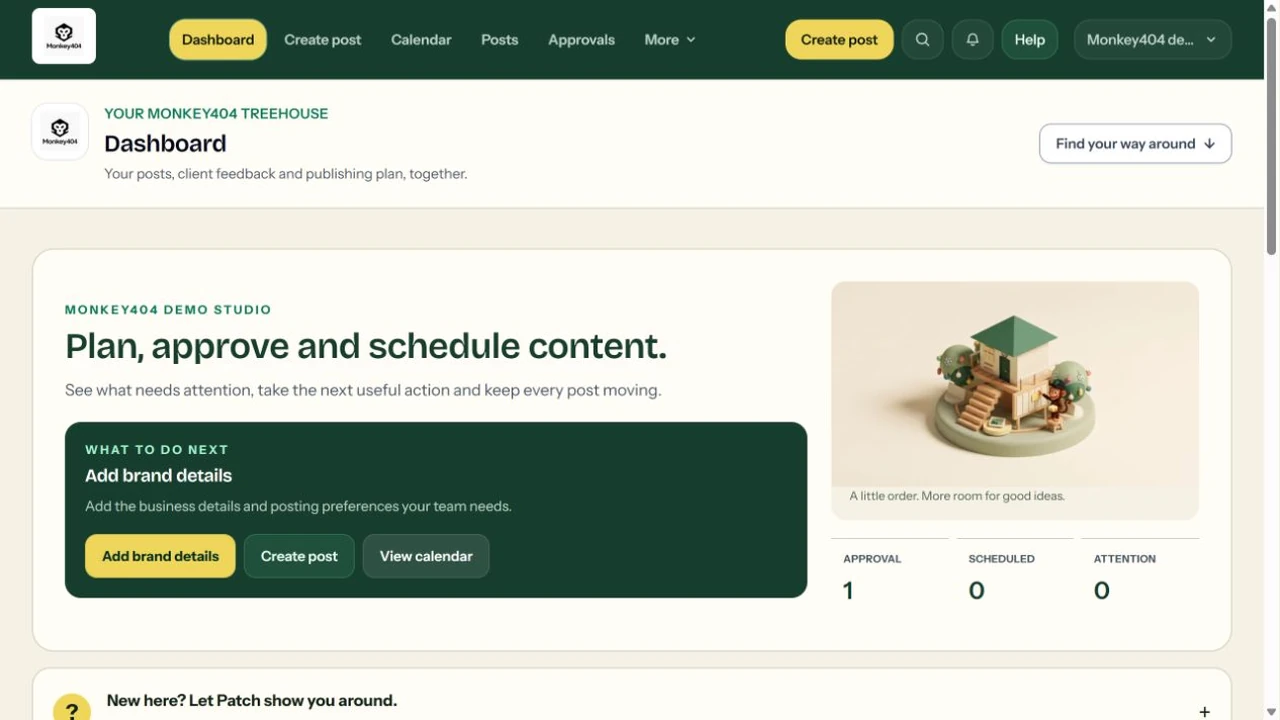
A look inside your working Treehouse.
This is the actual interface: drafts, review requests, scheduled posts and your next action. Take the tour to follow a sample post, change the business example and see how the workspace brings it together.
THE TREEHOUSE / YOUR WORKSPACEACTUAL INTERFACE · EXAMPLE CONTENT
Explore a Facebook or Instagram example and see how your content could move through one shared workspace. This demo uses sample accounts and makes no live connections.
Keep captions, media, feedback and your publishing plan together. Start with Facebook Pages and eligible Instagram Business or Creator accounts.
For a few clients
Give each client their own workspace and switch between them. Posts, media and approvals stay separate. Workspace and team limits have not been announced.
If you need more channels
The beta does not currently offer publishing to LinkedIn, TikTok or other networks. Banana Studio is in development and is not included as an available beta tool.
A few useful answers
What this demo shows, and how the planned workflow fits together.
Can I use this without an account?
Yes. Choose a business example and explore the workflow with sample content. This interactive demo does not create an account, send an invitation request or connect social channels.
Can I explore before connecting my accounts?
Yes. Try the review sample above and explore the actual product screens. These examples need no sign-in or social connection. Workspace registration is not available in this demo.
Do my clients need a Monkey404 account?
No. A private review link lets a client approve a specific version or request changes without creating an account. The workspace team controls scheduling separately.
No. This is a interactive demonstration. Subscriptions, checkout and paid pilots are not offered here.
Does a client’s approval publish the post?
No. The decision belongs to the version they reviewed. Publishing is a separate step, so an approval is not a live post.
How will I know if a post needs attention?
The workspace distinguishes scheduled, sent for publishing and confirmed published. If publishing fails or remains unconfirmed, you can follow the status and decide what to do next.
COME ON UP
Bring your next content week to the Treehouse.
Pick a business like yours and take the sample post through its next step. Everything here is yours to explore.