

Interactive demoExplore with sample content. Nothing is published.About this demo
Monkey404 vs PostPlanify.
Which reports do you need?
Monkey404 is in private beta, with publishing for eligible Facebook, Instagram and LinkedIn accounts. The public demo lets you try sample workflows without connecting an account.

The decision that matters
Which reports do you need?
PostPlanify describes workspaces, shared calendars, approval workflows, post comments and role-based permissions. Monkey404’s current beta lets a client approve a saved version or request a change through a private review link. Compare the complete journey with the work your team needs.
Checked 2 October 2026 against PostPlanify’s own product information. Features, plans and availability can change.
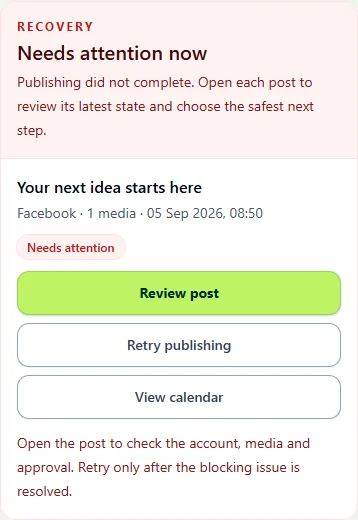
What Monkey404 offers today.
Workspace reports describe activity in Monkey404. External social-network analytics and self-serve billing are not currently available.
Explore the workflow using sample content. No signup, payment or social connection is required.
A PRACTICAL COMPARISON
Test your agency handover.
Use two fictional clients and have one teammate prepare a post while another reviews it. Check that the client, destination account and next action stay clear during the handover.
Questions to take into your demo
- What is included for each workspace and team member?
- Can people reach only the client work they should see?
- How do you distinguish approved work from scheduled work?
What you can try in Monkey404 now
Try preparing a post, sending it for review and choosing a publishing time. Approval applies to the version your client saw. After sending a post, Treehouse waits for a result or verified completion before marking it as published.
Invited workspaces can use Banana Studio’s writing assistant and publish to eligible Facebook, Instagram and LinkedIn accounts. Social-network analytics and self-service billing are not available. The public demo uses sample content and does not offer paid pilots.
Try the client-review sample